
You just spent a significant portion of your IT budget rolling out a brand-new cloud phone system. The expectation was seamless, high-definition communication across your entire organization. Instead, your team is dealing with dropped calls, severe audio delays, and a constant “robot voice” effect that frustrates employees and clients alike.
It is easy to blame the software provider or point fingers at your internet connection. However, the software usually is not the root of the problem. The real bottleneck is often the physical infrastructure running quietly behind your walls. The clock is ticking on this older infrastructure, as telephone and Internet providers are actively retiring aging copper-line networks across the country.
Modern communication software simply cannot perform reliably on legacy hardware. If you want to fix your unified communications platform, a physical infrastructure audit is the best first step.
Why Your New VoIP System Is Dropping Calls
When calls drop or audio quality tanks, most IT managers immediately submit a support ticket to their VoIP software vendor. The vendor runs a remote test, says everything looks fine on their end, and leaves you back at square one. This happens because poor call quality usually is not a software fault. The actual issue stems from the physical wiring hidden inside the building.
VoIP data packets require clear, uninterrupted pathways to travel from the handset to the server and back again. Old wiring simply cannot provide this smooth transit. Legacy cables were designed for analog voice signals, not the dense, continuous flow of digital data required by modern business communications.
We need to look past the internet service provider and examine the physical symptoms of a failing network.
The Symptoms of Legacy Cabling Failure
To diagnose a failing network, you have to look at the exact metrics causing your audio issues. The first major metric is latency, which measures the time it takes for voice data to reach its destination. According to network engineering benchmarks, 150 milliseconds of latency in one direction is not noticeable by users and therefore perfectly acceptable. Once latency creeps past that number, your team will start awkwardly talking over one another on conference calls.
The second metric is jitter, which measures the variation in the delay of received packets. High jitter causes that terrible “robot voice” or scrambled audio effect.
If your team constantly battles dropped calls, static, or one-way audio, the problem might not be your internet provider at all. It could easily be the outdated wiring hidden in your walls. Upgrading to a modern infrastructure ensures your communications are crystal clear, which is why many companies rely on professional business phone systems in Dallas to assess their cabling and deploy reliable, high-uptime VoIP solutions.
The Hidden Culprit: Running Modern IP Phones on Cat3 or Old Cat5
One of the most common questions IT directors ask is whether they can run a modern IP phone system on their building’s old Cat3 or Cat5 cabling. The short answer is no. Attempting to force heavy unified communications data through aging copper wire leads to inevitable system failure.
Legacy wires suffer from severe bandwidth limitations that immediately choke video conferencing and high-definition voice data. Additionally, old cables are notorious for debilitating crosstalk. Crosstalk happens when signals from one wire bleed into an adjacent wire, causing interference and data loss.
This constant signal degradation over old copper ruins the high-definition audio required by today’s VoIP systems. You end up with packet loss that drops calls entirely or leaves staff apologizing to clients for bad connections.
How to Perform a Network Cabling Audit
You should never start tearing out walls or purchasing pallets of new desk phones based on a hunch. The smartest move is to conduct a professional, BICSI-certified audit of your existing infrastructure. An audit reveals exactly what hardware you have, how it is performing, and where the bottlenecks live.
A structured audit provides the concrete proof IT managers need to justify infrastructure upgrade budgets to leadership. Instead of asking for money to fix a vague “network problem,” you can present a detailed report showing exactly why the current system is failing.
| Audit Stage | Action Items | Expected Outcome |
|---|---|---|
| Physical Inspection | Inspect server rooms, trace cable runs, check wall drops. | Identify cable types, spot physical damage, map existing pathways. |
| Compliance Check | Compare wiring to local codes and telecom standards. | Ensure fire safety compliance and proper cable termination. |
| Performance Testing | Measure data throughput, packet loss, latency, and jitter. | Document actual network speeds and pinpoint exact bottleneck locations. |
| Switch Evaluation | Test network switches for PoE output and capacity. | Confirm if existing switches can power new IP phones safely. |
Physical Inspection and Compliance Checks
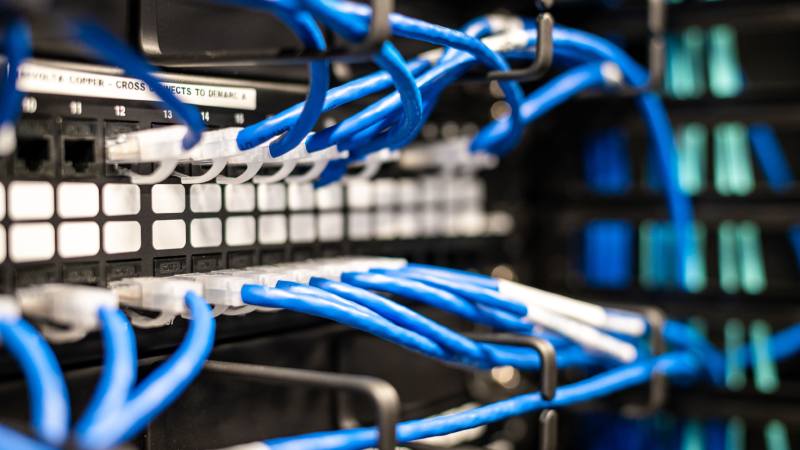
A proper audit always begins with a thorough visual inspection of the premises. Technicians will enter server rooms and IT closets to examine patch panels, looking for disorganized “spaghetti wiring” that causes interference. They will also inspect the individual wall drops throughout the office for physical damage or loose terminations.
This phase is essential for identifying exactly what type of legacy cable is currently installed in the building. Many business owners are surprised to find a mix of Cat3 and old Cat5 hidden above their drop ceilings.
The audit must also check compliance with local building codes and telecommunications industry standards. For example, cables running through HVAC return spaces must have a specific fire-resistant plenum rating. Identifying code violations early prevents expensive fines and safety hazards later.
Performance Testing and PoE Switch Evaluation
Once the physical inspection is complete, the technical testing begins. Network performance testing measures actual data throughput across the infrastructure. Technicians use specialized tools to measure packet loss, latency, and jitter during simulated heavy traffic loads.
The team will also evaluate your network switches to ensure they can adequately power the current and future phone system. If your switches cannot deliver the required PoE wattage, your new IP phones will simply refuse to boot up.
These comprehensive tests pinpoint the exact locations where legacy cabling is bottlenecking the unified communications platform. You will know exactly which cable runs need to be replaced and which parts of the network can support your daily operations.
When Is It Time to Upgrade Your Network Infrastructure?
Deciding to rip and replace your network cabling is a major decision. The most definitive signs that legacy cabling must be replaced are failing performance tests from your audit. If the wires physically cannot support Gigabit speeds or deliver clean PoE, a replacement is mandatory.
You also have to consider your future business expansion. Integrating heavy video conferencing, adding dozens of new hires, or moving to a cloud-based call center requires a massive amount of stable bandwidth. Investing in a modern unified communications platform requires a physical foundation equipped with robust failover mechanisms and redundancy.
Ultimately, this is a cost-benefit decision. You have to weigh the cost of a cabling upgrade against the daily cost of lost productivity. Eliminating costly downtime, preventing lost sales deals, and removing staff frustration makes a reliable infrastructure worth the investment.
Understanding Cat5e, Cat6, Cat6a, and Fiber Optic
If your audit shows it is time to upgrade, you need to choose the right cable for your business needs. Cat5e is the bare minimum for standard Gigabit Ethernet today, but it offers limited headroom for future growth. Cat6 is the much better standard for modern offices, offering tighter winding that handles crosstalk better and supports higher bandwidth over shorter distances.
For high-performance, future-proofed business communications, Cat6a is often the recommended choice. The “a” stands for augmented. It provides 10 Gigabit speeds over longer distances and features heavy shielding to block out external interference, making it perfect for dense office environments.
Finally, fiber optic cabling is necessary for specialized scenarios. You will need fiber for connecting different buildings on a campus, meeting extreme bandwidth needs, or running data through areas with heavy electromagnetic interference. Fiber uses light to transmit data, making it completely immune to the crosstalk issues that plague old copper wires.
Conclusion
Modern VoIP and cloud phone systems simply cannot thrive on outdated legacy cabling. Expecting a new software platform to fix hardware-level network issues will only lead to frustration, dropped calls, and wasted IT budgets.
Measuring specific network metrics like latency and jitter is the only way to diagnose the true health of your communications setup. Conducting a thorough network audit takes the guesswork out of troubleshooting, giving you the exact data needed to plan an effective upgrade.
Moving to professionally installed infrastructure is the smartest move a business can make. By upgrading your physical cabling, you prevent lost deals, streamline daily business communications, and give your team the reliable tools they actually need to succeed.